|
|
Space PatrolLow Disk Space Warning Control and Notification Utility |
Our Products
 Home Home
Screen Shots
|
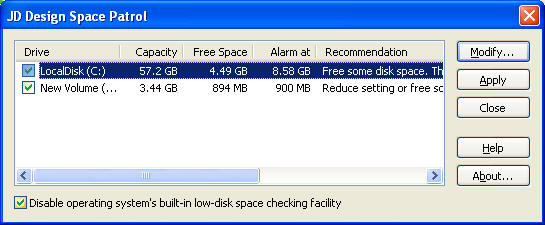
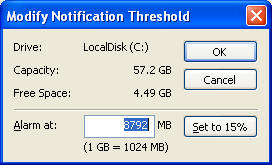
Unlike the low-disk space warning notification built into some versions of Windows, Space Patrol provides a low-disk space monitoring and warning notification facility that you can control precisely. Space Patrol lets you alter the disk space warning threshold levels, and easily enable or disable the warning notification on any of your disk drives. Your saved settings are automatically monitored whenever you log onto your computer. Features
DownloadSupported Operating Systems - 32 (x86) and 64 (x64) versions
Our older Windows 98 specific Space Control is still available for Windows 98/98SE users:
Space Control (for Windows
98/98SE) [103 KB (106,305 bytes)] Windows 98 provides an integrated Low Disk Space warning facility. However, there is no inbuilt control over the threshold level. For modern large disks this can result in the warning occurring when you have many MB of free space left on your disk. Space Control lets you alter the threshold levels, and easily enable or disable the notification on any of your disk drives. Once you've registered you can save the settings and automatically restore them when your computer restarts. Features
Until you've registered Space Control you can't save or restore the settings, but you can establish if it works for you, and if it would be useful in ensuring that the low disk space warning only occurs when you want it to. |
|
|
Copyright © JD Design 2024 |
||


 Complete Zip Package